Manual appointment setting eats 30-40% of a sales rep's productive day. An AI appointment setting system runs around the clock, books meetings while your reps are sleeping, and cuts no-shows by up to 60%. Here's exactly how to build one.
An AI appointment setting system connects a voice AI agent to your calendar, CRM, and outbound dialer so every qualified lead gets called, every meeting gets booked, and every no-show gets a follow-up call. The conversation happens in real time. The calendar invite goes out before the call ends. This guide walks through the setup step by step.
Key Takeaways
- An AI appointment setting system calls leads around the clock and books meetings live during the call, cutting no-shows by up to 60%.
- TopCalls AI voice agents run at sub-500ms latency, so the conversation sounds natural rather than robotic to the prospect.
- The agent checks a real calendar (Google Calendar, Calendly, Cal.com) during the call and creates the event before hanging up.
- TopCalls pricing is $0.35 per minute, all-inclusive: telephony, AI processing, and CRM sync, with no separate Twilio account.
- A solid appointment setting script converts 20-30% of real conversations into booked meetings.
1. What an AI Appointment Setting System Actually Does
Most people assume "AI appointment setting" means a chatbot that drops a Calendly link. It doesn't. The best systems use voice AI agents that call prospects, hold a real conversation, handle objections, and book the meeting live during the call.
Here's what a full system does on each call:
- Voice AI calls the lead. The agent introduces itself, confirms interest, and qualifies the prospect in real time. Sub-500ms latency means the conversation sounds natural, not robotic.
- Calendar checks availability. During the call, the AI checks your rep's real calendar (Google Calendar, Calendly, Cal.com) and offers two or three open slots.
- Booking happens on the call. The prospect picks a slot, the AI creates the calendar event, sends a confirmation, and logs the outcome in your CRM before hanging up.
- Reminders fire automatically. 24 hours before the meeting, the AI calls to confirm. This is where the 60% no-show reduction comes from.

That's the difference from scheduling tools like Calendly or HubSpot Meetings. Those tools wait for the prospect to book. An AI appointment setting system goes and gets the booking.
2. Step 1: Define What You're Booking Before You Build Anything
The most common mistake is skipping the goal definition. "I want AI to book meetings" isn't a goal. "I want to book 30-minute discovery calls with VP-level prospects who've downloaded our pricing page" is a goal.
Before you configure anything, answer these four questions:
- Who are you calling? Existing leads in your CRM, cold prospects from a list, or trial users who haven't converted?
- What are you booking? Demo, discovery call, consultation, or follow-up after a proposal?
- What qualifies someone? Job title, company size, expressed interest, inbound signal, or a combination?
- What's the handoff? Does the AI book directly on a rep's calendar, or route to an SDR queue first?
Write this down. It shapes every decision downstream: script design, CRM field mapping, campaign structure, everything.
3. Step 2: Choose Your Voice AI Platform
The platform is the most important choice. It determines how natural the conversation sounds, what integrations are available, and what you'll actually pay per minute.
- Latency. Anything above 700-800ms between what the prospect says and what the AI responds will feel wrong. Sub-500ms is the target.
- Calendar integration. The AI needs to check real-time availability during the call, not offer "sometime next week." It needs actual open slots on the rep's calendar.
- CRM sync. Call outcomes, notes, and booked slots should land in your CRM automatically. No manual cleanup after each campaign run.
- Pricing structure. Some platforms charge per minute for the AI, then separately for telephony. That gets expensive fast. Look for all-inclusive pricing.
- Compliance. If you're calling US numbers, TCPA compliance isn't optional. Consent management should be built into the platform, not bolted on.
TopCalls AI voice agents run at sub-500ms latency, book directly into Google Calendar, Calendly, and Cal.com during the call, and sync natively to HubSpot, Salesforce, Pipedrive, and Close via built-in integrations. Pricing is $0.35/minute, everything included: telephony, AI processing, CRM sync. No separate Twilio account.
For a side-by-side comparison of the main platforms at scale, this Vapi vs. Retell vs. TopCalls pricing breakdown shows what 10,000 calls/month actually costs on each platform.
4. Step 3: Write Your Appointment Setting Script
The script is the difference between a system that books 8% of conversations and one that books 22%. A few principles specific to appointment setting:
- Keep the opener short. "Hi, this is Alex from [Company] calling about [specific trigger]." Not a 90-second pitch. The goal is 10 seconds of engagement, then the ask.
- Name the outcome first. "I wanted to see if a 20-minute call next week makes sense to show you how we've helped [similar companies]." People agree to meetings when they know exactly what they're agreeing to.
- Prepare specific objection responses. "Not interested" means acknowledge and ask about timing. "Just send an email" means agree, then offer 5 minutes to confirm details. "We use a competitor" means ask what's working and what isn't.
- Include a confirmation step. Before hanging up, the AI repeats the meeting time, explains what happens next, and confirms the email address for the calendar invite.
If you need a starting point, these AI cold call script templates cover common sales scenarios with examples for each objection type.
Want to know what this system would cost your team and what it would bring back? Run the numbers with the AI ROI calculator.
5. Step 4: Connect Your Calendar and CRM
Native integrations beat Zapier for this use case. You want the AI checking calendar availability in real time during the call, not through a webhook with a 2-3 second delay.
- Calendar. Google Calendar, Cal.com, or Calendly. The AI needs read access to check availability and write access to create events. Connect the rep's actual calendar, not a generic scheduling one.
- CRM. Log call outcomes (answered, booked, no-show, not interested) and update the deal or contact record automatically. If your CRM has a meetings or activity object, route bookings there so the rep's pipeline stays accurate.
- Confirmation emails. Some platforms handle this natively. Others need a Zapier trigger to send a calendar invite via Gmail or Outlook when a booking fires.
If you're connecting to HubSpot or Salesforce, the AI dialer CRM integration guide has the exact field mapping and activity object setup.
6. Step 5: Load Your Lead List and Configure the Campaign
List quality matters more than most teams expect. A clean list means the AI has real conversations. A bad list means it leaves voicemails on disconnected numbers. Before you upload:
- Verify phone numbers. Run through a verification service to scrub mobile vs. landline, carrier status, and line activity. Expect 15-25% of raw lists to fail.
- Clean your data. First name, company, and phone are the minimum. Add any fields the AI should reference during the call: industry, last interaction date, a specific trigger event.
- Segment by call context. Cold outbound, warm inbound, trial non-converters, and past customers all need different scripts and qualification criteria. Don't mix them in the same campaign.
Campaign settings that actually move the needle:
- Call time windows. Timezone-aware dialing is not optional. 8am Pacific shouldn't call someone in New York with a morning opener at 11am.
- Retry logic. Busy: retry in 5-10 minutes. No answer: retry in 2-4 hours. Wrong number: suppress immediately. Smart retry cuts waste and improves connect rates.
- Concurrency limits. Start conservative at 50 concurrent calls and scale up based on answer rate and agent performance.
Running at scale (1,000+ calls per day) needs a different setup. The step-by-step guide to running 1,000 AI sales calls per day covers the full configuration for high-volume campaigns.
7. Step 6: Handle Objections and Automate No-Show Follow-Ups
Objection handling gets better the more specific you build it. Don't write one generic "not interested" response. Write separate responses for "the timing is off," "I'm in a contract," "I need to check with my boss," and "just send me the info." Each needs a different pivot. For the common failure points in AI outbound conversations, this guide on reducing drop calls in AI outbound is worth reading before you finalize the script.
For no-shows, automated reminders cut the rate significantly. The sequence that works:
- 24 hours before: AI calls to confirm. If they answer, confirm and hang up. If they don't, leave a voicemail and send a text.
- 2 hours before: Text reminder with the Zoom or Google Meet link.
- 15 minutes after scheduled time: If no-show confirmed, send a rescheduling offer with a direct calendar link.
Build this before you launch. Don't add it as an afterthought when you see a 40% no-show rate in week two.

See how the full reminder and rescheduling sequence works with TopCalls' AI appointment setting solution.
8. Step 7: Track What's Working and Scale It
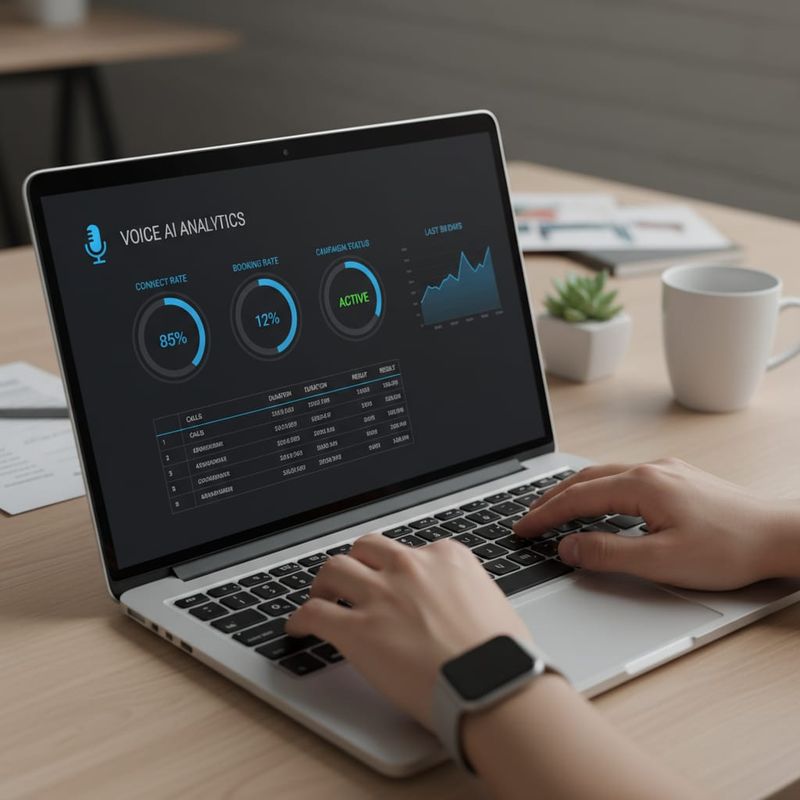
Most teams track one metric: booking rate. That's not enough. Here are the numbers that actually tell you if the system is working:
- Connect rate: What percentage of dials result in a real conversation? Below 15% means list quality or calling time windows need work.
- Connect-to-booked rate: A solid script converts 20-30% of real conversations to bookings. Below 12% means your opener, value prop, or objection handling needs a rewrite.
- No-show rate: Under 20% is the target. Above 35% means your confirmation sequence isn't firing correctly.
- Show-to-close rate: Track whether bookings from AI calling convert to revenue at the same rate as SDR-booked meetings. If they don't, tighten the qualification criteria.
Run a weekly review. Listen to call recordings: 100% of calls should be transcribed and saved. Focus on calls where the booking failed. Fix one thing at a time, then measure the effect.
After 2-3 weeks of data, you'll know which lead segments convert best. Scale those first. Don't scale before you've validated the unit economics.
9. Where AI Appointment Setting Doesn't Work
High-ticket, highly personalized enterprise sales. If your deal size is $250K+ and every conversation needs deep relationship nuance, voice AI isn't the right first touch. It can handle qualification calls, but appointment setting for serious enterprise accounts usually still needs a human.
Heavily regulated industries. Healthcare, financial advisory, and insurance have compliance requirements that vary by state and product type. TCPA covers the basics, but specific disclosure and consent language can get complex enough to need legal review before launch.
Audiences with low phone engagement. Some segments don't answer unknown numbers. The system still works, but the economics look different: more dials per booking, lower connect rate, higher cost per meeting.
When the relationship is the product. Boutique consulting, executive coaching, high-touch advisory services: if the main reason clients choose you is a specific person, leading with AI calling can feel off-brand.
10. What an AI Appointment Setting System Actually Costs
Platform cost is only part of the picture. Most platforms charge $0.07-0.15/minute for the AI, then separately $0.01-0.02/minute for telephony. At 50,000 minutes per month, that adds up to $4,000-$8,500/month in variable costs before any platform fees.
TopCalls charges $0.35/minute, all-inclusive. That's telephony, AI processing, CRM sync, everything. No separate Twilio account, no LLM API keys, no platform fee on top.
Example: a campaign with 10,000 dials, 45% answer rate, and 3-minute average conversation length is roughly 13,500 minutes of AI time. At $0.35/minute, that's $4,725. At 25% booking rate on real conversations, you're booking 300-500 meetings.
Plug your numbers into the AI ROI calculator to see the math for your specific campaign volume. For a full platform comparison, the best AI cold calling software guide ranks 12 tools by actual cost per meeting.
An AI appointment setting system isn't hard to build. The hard part is doing it deliberately: clear goal, clean list, sharp script, right integrations. Get those four right and the booking machine runs itself. Book a strategy call to walk through your specific setup.
Frequently Asked Questions
Get AI calling tips in your inbox
No spam. One email per week with actionable sales automation tips.