Your AI agent books a meeting at 9:14pm. Without an alert, the rep who owns that lead hears about it at 9am the next morning, and by then the buyer has moved on. AI sales call Slack alerts close that gap. Topcalls posts a message to Slack the second a call books an appointment, logs a conversion, or asks for a callback, so the right person acts while the lead still wants to talk. It's one of the most useful moves in a wider set of AI voice agent integrations.
Key Takeaways
- Topcalls posts a Slack message the instant an AI call books a meeting, logs a conversion, or requests a callback, with no code required.
- Slack alerting costs nothing extra. Topcalls bills a flat $0.35 per minute, all-inclusive, with no per-integration or per-seat fee.
- Seven call events can trigger a Slack alert, including appointment booked, conversion, callback requested, and call ended.
- Each alert can carry the call outcome, a 2-3 sentence AI summary, the duration in seconds, and a signed 90-day recording link.
- Branches route each event to its own channel and ping the lead owner, so #sales-wins and #callbacks never blur together.
- Firms that contact a lead within an hour are nearly 7x more likely to qualify it, per Harvard Business Review, which is why real-time alerts pay off.
Can you get a Slack alert when an AI call books a meeting?
Yes. Topcalls fires a Slack message the moment an AI call books a meeting. Inside the no-code integration builder, you connect the 'appointment booked' trigger to a Slack send-message action, choose a channel, and map the details. No developer and no Zapier needed. The rep sees the booking in seconds instead of the next morning.
Speed is the whole point. Harvard Business Review's audit of 2,241 companies found that firms contacting a lead within an hour were nearly 7x more likely to qualify it than firms that waited longer, and over 60x more likely than those who took a day. An AI agent that books at 9pm and pings Slack at 9:00:02pm keeps that clock from ever starting. Pair it with AI appointment setting and the booked meeting lands in Slack and on the calendar at the same instant. Most inbound teams still measure response time in hours. An AI agent plus a Slack alert measures it in seconds, which is the difference between a live conversation and a voicemail.
Which call events can post to Slack?
Topcalls exposes seven call-event triggers, and any of them can post to Slack. You pick the one that matches the moment you care about, then point it at a channel. The plain-language names map straight to what happened on the call, so you're wiring outcomes, not parsing raw event codes.
- When an appointment is booked: the AI locked in a meeting. Route it to your wins channel and ping the owner.
- When a conversion happens: a sale or signup closed on the call. This is the alert your revenue channel wants.
- When a callback is requested: the prospect asked to be called back. Speed matters, so page an on-duty rep.
- When a follow-up is scheduled: the AI set a next touch. Useful for keeping a multi-step sequence honest.
- When a call ends: fires after every call, including voicemails and failures. High volume, so handle it with care (more below).
- When a call hits voicemail: the AI reached a voicemail. Good for retry logic, noisy for a human channel.
- When a call fails: no answer, busy, or rejected. Better logged than broadcast to a busy channel.
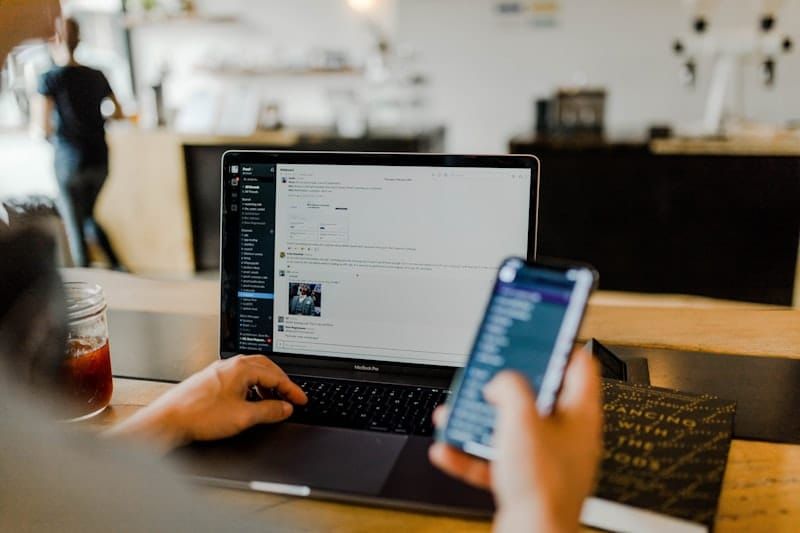
The 'when a call ends' trigger is the workhorse behind most automations, but it's the wrong one to fire at a human channel because it runs on every single call. For the full menu of what these events can drive, see how to automate post-call workflows end to end.
How do you set up Slack alerts for AI sales calls?
Setting up AI sales call Slack alerts takes five steps: connect Slack, pick a call-event trigger, choose the channel, map the message, and send a test. The whole thing lives in the Integrations panel under Settings, and most teams have their first alert posting in under ten minutes.
- Connect Slack. In Settings, open the Integrations panel and authorize your Slack workspace once. That connection is reused by every alert you build.
- Pick the trigger. Choose the call event, for example 'when an appointment is booked' or 'when a conversion happens.' This is what starts the automation.
- Choose the channel. Point the Slack action at a specific channel like #sales-wins, or at a direct message to the lead owner.
- Map the message. Drop the call fields into the text: outcome, AI summary, duration, and the recording link. Write it the way your team actually reads.
- Test it. Run a sample call or replay a recent one, confirm the message lands in Slack, then switch the automation on.
Every step above is drag-and-drop. Branches, conditions, delays, and a human-approval step are there when you want them, and retry-on-failure is built into every action, so a Slack hiccup won't silently swallow an alert. You can also chain a second action after the Slack message, updating a CRM record or booking a calendar hold, so one call event drives the entire follow-up. See the full connector list on the Integrations page.
What should a good call alert include?
A good alert answers 'what happened, and what do I do next?' at a glance. The strongest Slack call alerts carry five things: the outcome, the AI's short summary, the call duration, a link to the recording, and the next step. Topcalls writes all of these to every completed call, so you're mapping existing fields, not inventing them.
- Outcome or disposition: booked, converted, callback, or no answer. The one word that tells a rep whether to celebrate or chase.
- AI summary: a 2-3 sentence recap of what the prospect said, written automatically at the end of every call.
- Duration and timestamp: how long the conversation ran, in seconds, and exactly when it happened.
- Recording link: a signed link that stays live for 90 days, so a rep can listen back before calling.
- Collected data: anything the AI captured, like a confirmed email or a budget range, ready to drop into the message.
Those same fields power your dashboards, so a Slack alert and a report never disagree. When you want the trend view behind the one-off pings, the real-time analytics dashboard rolls every call outcome into live numbers your whole team can watch.
How do you send different alerts to different channels or reps?
Branches and conditions do the routing. One automation can read the call event or the lead owner, then send each case to a different Slack channel and mention a different person. A booked meeting hits #sales-wins and pings the rep who owns the lead; a callback request hits #callbacks and pages whoever is on duty.
| Call event | Slack channel | Who it pings |
|---|---|---|
| Appointment booked | #sales-wins | The rep who owns the lead |
| Conversion / sale | #revenue | Sales lead + founder |
| Callback requested | #callbacks | On-duty SDR |
| High-value lead qualified | #hot-leads | Account owner |
Routing by lead owner is the piece most teams miss. Topcalls carries the owner field through the call record, so a condition can look it up and @-mention that exact rep instead of blasting the whole channel. It's the same logic behind AI lead qualification: the right signal reaches the right person, automatically. A five-rep team can run five parallel routes off one automation, and nobody wastes attention on a deal that isn't theirs.
When are Slack alerts too much noise?
Slack alerts turn to noise the moment you route low-value events to a human channel. Alert only on things a person should act on: booked meetings, conversions, callbacks, and hot leads. Each interruption carries a real cost. University of California research found it takes about 23 minutes to fully refocus after a single interruption, so every needless ping is expensive.
The fix is to split channels by intent. Send 'when a call ends,' voicemails, and failed calls to a log, not a person. That's what logging AI calls to Google Sheets is for: a quiet, searchable record you check on your own schedule, while Slack stays reserved for the four or five events worth stopping work over. Batch the rest into a once-a-day summary if you want a pulse without the pings.
How do you get started?
Getting started is a strategy call, not a self-serve trial. Topcalls runs more than 63,000 AI calls a day at a flat $0.35 per minute, all-inclusive, and Slack alerting is part of that price with no add-on fee. Your team already lives in Slack, so these alerts land where the work already happens. Run the numbers on the ROI calculator, then book a strategy call to wire your first alert.
Frequently Asked Questions
Get AI calling tips in your inbox
No spam. One email per week with actionable sales automation tips.