Nearly one in four booked patients never walks through the door. AI voice agents for medical practices fix the part of that problem your front desk can't: they call every patient to confirm, remind, and reschedule around the clock, at $0.35 a minute. The national no-show rate sits near 23%, and each empty slot costs a practice more than $200. Here's how clinics and specialty groups actually put these agents to work.
Key Takeaways
- The average medical practice runs a 23% patient no-show rate, and each missed visit costs $200 or more in lost revenue.
- Automated reminders lift appointment attendance by about 11%, and two-way reminders that let patients confirm beat one-way texts.
- AI voice agents work 24/7 at $0.35 per minute, all-inclusive, with no per-seat fee, no platform fee, and no per-number charge.
- TopCalls answers in under 500 milliseconds and processes more than 63,000 AI calls a day across 32 languages.
- Automated patient calls fall under HIPAA plus FCC rules: get prior consent, name the provider, and keep protected health info out of scripts.
- Well-run practices push their no-show rate down to 5 to 7% with steady confirm-and-reschedule outreach.
1. How do medical practices use AI voice agents?
Medical practices use AI voice agents to book new appointments, confirm and remind patients before visits, call cancellations to rebook, run recall outreach for overdue patients, and answer the calls the front desk can't reach on a busy day. Every call syncs back to the scheduling system, so the calendar stays current with no manual data entry.
The work splits into five plain jobs.
- New bookings: a patient calls after an ad or a referral, and the agent finds an open slot and books it on the spot.
- Confirmations and reminders: the agent calls two days out, confirms the visit, and reschedules right then if the patient can't make it.
- Cancellation recovery: when someone cancels, the agent works a waitlist to fill the gap the same day.
- Recall outreach: the agent calls patients overdue for a follow-up, an annual visit, or a lapsed treatment plan.
- Overflow: during peak hours, calls that would drop to voicemail get answered and booked instead.

TopCalls agents answer in under 500 milliseconds, so the call feels like a person, not a phone menu. They run 24/7 and sync to the scheduling and CRM tools you already use. See how our AI voice agents carry a patient call from greeting to booked slot.
2. How much do patient no-shows cost a practice?
A single patient no-show costs a practice more than $200 in direct lost revenue, and with the national average no-show rate near 23%, the empty slots pile up fast. Across the US health system, missed appointments drain an estimated $150 billion a year. And about 70% of patients who no-show once never come back, so one miss keeps costing you.
Run the math on a mid-size practice. Twenty visits a day at a 23% no-show rate is four to five empty slots daily, and at $200 each that's roughly $900 in lost revenue every day. The national no-show rate holds near 23%, per MGMA, and each missed visit runs $200 or more, by Curogram's estimate. Worse, 70% of patients who miss once never return, according to Prospyr, so the loss compounds well past the first empty chair.
Want the number for your own patient volume? Run it through our ROI calculator to see the annual cost of your current no-show rate.
3. Do reminder calls actually reduce no-shows?
Yes. Automated call and text reminders raise appointment attendance by about 11%, and two-way reminders that let patients reply cut no-shows more than one-way texts do. Well-run practices get their no-show rate down to 5 to 7% with steady outreach. A live AI call goes further than a text, because it confirms and reschedules inside the same conversation.
The research is older but it holds up. A study published in the American Journal of Medicine found automated reminders raised attendance by around 11%, and two-way reminders that asked patients to confirm beat one-way reminders by a wide margin. The reason is plain. A one-way text tells a patient about the visit, but it never learns whether they plan to show. A confirm-or-reschedule loop does.
Here's how the common reminder methods compare.
| Method | Reduces no-shows | Two-way (confirm/reschedule) |
|---|---|---|
| No reminder | Baseline 23% no-show (MGMA) | No |
| One-way SMS/text | Improves attendance | No |
| Automated reminder call/SMS | +~11% attendance (AJM) | Sometimes |
| AI voice agent (TopCalls) | Confirms and reschedules live | Yes |

That's where an AI voice agent earns its keep. It doesn't just remind. It holds a two-way conversation, confirms the slot, and rebooks anyone who can't make the time, all in one call. Set it up through our appointment setting solution, and pair it with automated follow-up for the patients who need a second nudge.
4. Are automated patient calls HIPAA compliant?
Automated calls to patients are governed by HIPAA plus FCC rules under the TCPA. Before a practice or its vendor auto-dials a patient's cell, it needs prior consent, and the call must identify the provider, state its purpose, run under about a minute, and stay within roughly three calls a week. Compliance is a shared job between the practice and any vendor that touches protected health information.
The FCC has confirmed the rules for HIPAA and patient telephone calls: appointment and reminder calls are allowed, but they need prior consent to reach a cell phone, they must name the provider and the reason for the call, keep the call brief at about 60 seconds, and cap frequency at roughly three per week. Miss those limits and you're exposed on both the FCC and the HIPAA side.
Two practical rules keep a practice on the safe side.
- Keep PHI out of scripts: an agent can confirm 'your Tuesday appointment' without stating a diagnosis, a specialty, or a test result. The less protected health info in the call, the smaller your exposure.
- Confirm a business associate agreement: before any vendor handles protected health information for you, get a signed BAA in place. That's a step the practice owns, and you should confirm it with any calling vendor directly.
On security, TopCalls encrypts calls in transit and at rest, and the platform is built to be TCPA and GDPR compliant. You can read the details on our secure infrastructure page. Keep your patient scripts reminder-only and light on protected health info, and confirm the BAA question with any vendor before you send protected health data over a call.
5. Can AI handle after-hours and overflow scheduling?
Yes. Patients book when they're off work, in the evenings and on weekends, exactly when the front desk is closed. And during business hours the desk can't answer every ring while checking patients in. AI voice agents pick up 24/7 and handle hundreds of calls at once, so a booking request never lands in a voicemail box nobody checks until Monday.
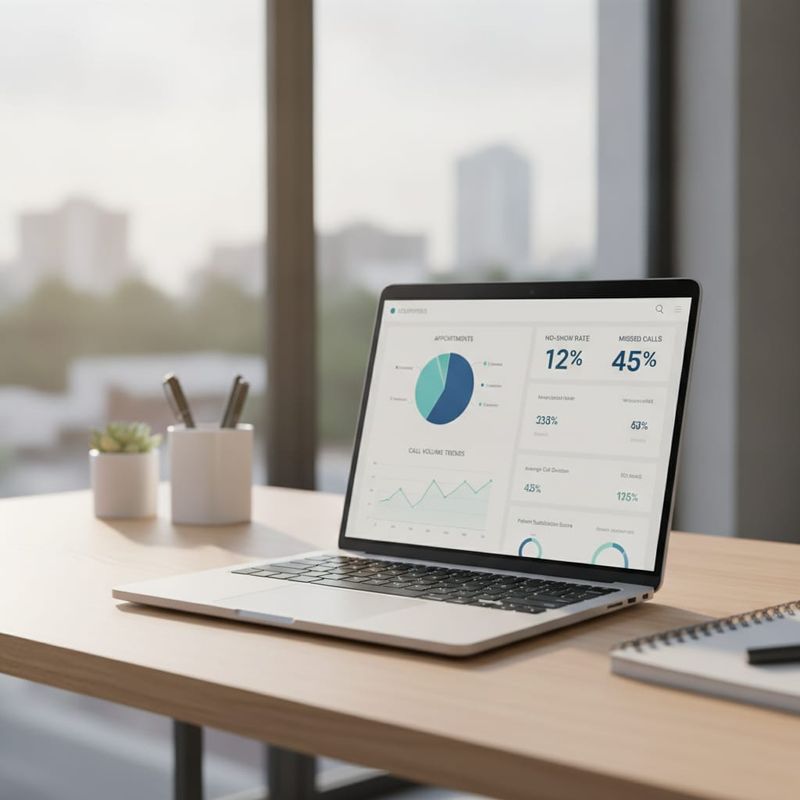
TopCalls runs 24/7 with a 99.9% uptime SLA and processes more than 63,000 AI calls a day, so a spike in call volume doesn't turn into a busy signal. Evening and weekend booking requests get answered and slotted while the office is dark. During the day, overflow calls that would sit on hold get picked up instead. Track answer rate, booking rate, and no-show rate by day on our real-time analytics dashboard.
Where AI calling doesn't fit in a clinic
AI voice agents belong on scheduling and admin work, not on anything clinical. Symptom checks, triage, medication questions, and emergencies all need a licensed clinician, and the agent should hand those to your staff rather than answer them. The rule is simple: booking, reminders, and routing are a fit; medical judgment is not.
A few clear no-go zones.
- Clinical triage: deciding how urgent a symptom is belongs to a nurse or physician, full stop.
- Emergencies: any call that sounds like an emergency should route to 911 or your on-call line at once, and a good agent is scripted to do exactly that.
- Complex medical questions: a patient asking about side effects or results gets transferred to staff, never a scripted answer.
Set the agent's scope to scheduling and confirmation, and let it warm-transfer everything else to a human.
Getting started with AI voice agents
Getting started takes about 15 minutes of setup, and a full campaign is usually live within two weeks. There's no self-serve free trial. You begin with a short strategy call where we map your scheduling system, your patient scripts, and your consent and reminder rules before a single call goes out.
That first call covers the practical parts: which appointment types the agent books, how it confirms consent, what it says (and doesn't say) to stay reminder-only, and how it routes medical questions to your team. At $0.35 a minute, all-inclusive, there's no per-seat license and no per-number fee to plan around. If you also run a dental side, our guide to AI calling for dental practices walks through that setup.
Ready to cut your no-show rate? Book a strategy call and we'll map your first patient-calling campaign.
Frequently Asked Questions
Get AI calling tips in your inbox
No spam. One email per week with actionable sales automation tips.