An AI call transfer hands a live caller from the voice agent to a person on your team. There are three ways to do it: cold, where the AI leaves and the human starts from zero; warm, where the human is briefed first; and callback, where nobody is free and the caller gets a promised time. Warm fits high-stakes calls. Cold fits simple routing.
Most vendor pages explain only their own mechanics. This guide compares the three methods side by side, says when a call should reach a person, and states plainly what Topcalls does and does not do today.
Key Takeaways
- LiveKit's documentation describes a warm transfer in five steps: hold the caller, dial the human privately, brief them, connect the caller, and let the agent leave.
- A cold transfer uses SIP REFER, and the platform that sent the caller has no visibility into the call afterward, according to LiveKit.
- Topcalls supports up to 5 transfer destinations per campaign, and each destination carries its own plain-language rule for when to use it.
- The ring time before the agent gives up is set between 10 and 60 seconds, with 1 or 2 transfer attempts per call.
- If nobody answers, the Topcalls agent picks the conversation back up and offers what your instructions say, such as a callback.
- Topcalls does not brief the person before connecting the caller, and the guide below says so up front.
How does an AI voice agent warm transfer to a human?
In a warm transfer, the AI voice agent puts the caller on hold, calls the human, tells them who the caller is and what they need, and only then connects the two. LiveKit's documentation lists the same five steps: hold, private consultation, context, connect, agent leaves. The human starts the conversation already briefed.
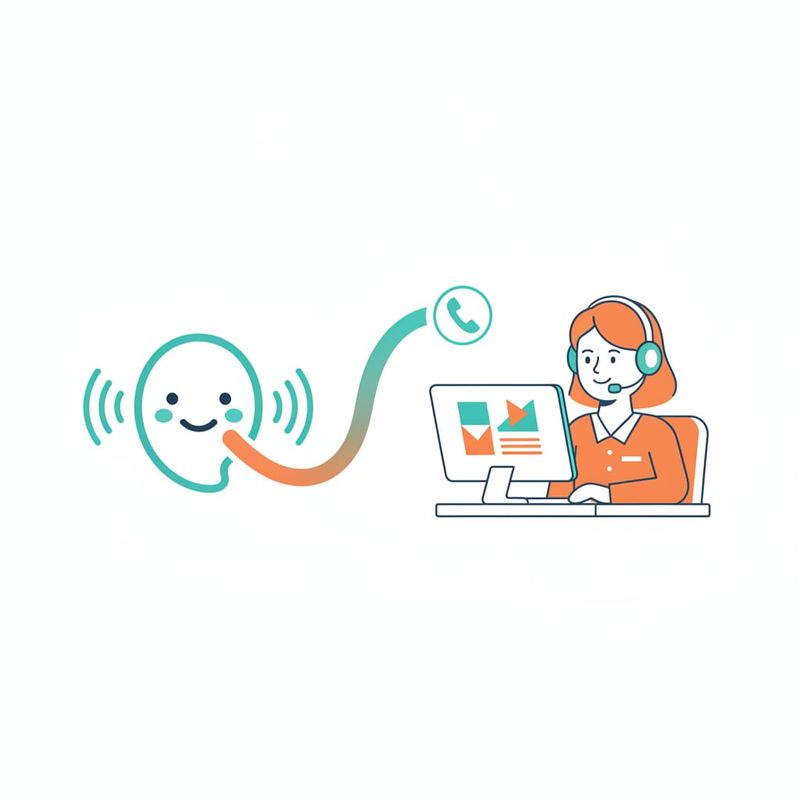
There are two flavors. In a private warm transfer the AI briefs the human and then drops out. In a conferenced warm transfer the AI stays on the line as a third participant. Telnyx documents both, and it claims to be the only one of five major platforms whose public docs keep the AI on the call after the human joins. That is a vendor claim, so treat it as one.
The failure path matters as much as the happy path. LiveKit's guide notes that if the person you're transferring to is unavailable, the agent can return to the original caller, explain, and either try another transfer or end the call. A warm transfer without that fallback leaves callers on hold with nobody there.
What is a cold transfer, and how is it different?
A cold transfer forwards the caller to another phone number or SIP address and the AI leaves the call. The human picks up with no briefing and asks the caller to start again. It's fast and simple, and it suits calls where no context is lost, like routing someone to the right department.
Technically, cold transfer rides on SIP REFER, a standard method that moves an active call to another endpoint. LiveKit's docs add two details worth knowing. The transfer closes the caller's session on their side, and a "success" can simply mean that a voicemail box or an IVR answered the call.
Warm transfer vs cold transfer vs callback: which one fits?
Use a warm transfer when the call is high-stakes and the human needs context. Use a cold transfer when speed matters more than context. Use a callback when nobody is available, or when the call comes outside business hours. The table puts the three methods side by side.
| Method | What the caller hears | What the human gets | Best for |
|---|---|---|---|
| Cold transfer | A short handoff line, then ringing | A phone call with no briefing | Simple routing, high volume |
| Private warm transfer | Hold, then the human | A spoken summary before the caller joins | Complex or high-value calls |
| Conferenced warm transfer | The AI introduces the human and stays quiet | A briefing, with the AI still on the line | Calls where the AI keeps logging or booking |
| Callback | A promised time window | A task to call back, ideally with a summary | Nobody free, or outside business hours |
When should an AI voice agent hand over to a human?
An AI voice agent should hand over when the caller asks for a person, when the stakes are too high for the agent to decide alone, or when the agent keeps failing the same step. Frustration is a fourth signal. Outside business hours, a callback usually beats a transfer to a ringing empty desk.
- The caller asks for a person. Honor it the first time. Making someone argue with a bot costs more than the transfer does.
- The stakes are high. Billing disputes, legal threats, a large order, a complaint about safety. Write these as explicit rules.
- The same step fails twice. If the agent can't understand an address or a number after two tries, a person should take over.
- The caller is upset. Tone is a signal, and it should override the script.
- The desk is closed. Offer a callback instead of ringing a number nobody will answer.
Who decides matters. Deepgram recommends putting known triggers in deterministic checks in your orchestration code and keeping the model's judgment for ambiguous cases, so your escalation policy doesn't change when the model version does. On Topcalls the rule lives in the destination itself: each one has a plain-language condition written in the third person. For a real vertical example, see when an AI call should hand off to a human agent in forex.
How do you set up call transfer for an AI voice agent?
On Topcalls, you set up transfer on the campaign with up to 5 destinations. Each has a label the caller hears, a phone number and a rule for when the agent should pick it. Then you set the ring time and attempts, and write the fallback line in your instructions. The transfer guide lists every field.
- Pick the destinations. Give each a short label such as "our support desk" and a condition such as "the caller has a billing dispute the agent cannot settle".
- Set the ring time. Between 10 and 60 seconds. Short enough that the caller isn't left waiting, long enough for a desk phone.
- Set the attempts. One or two transfer attempts per call. After that, the agent stops offering a transfer on that call.
- Add business hours if you need them. Transfers are only offered inside the window you set.
- Write the fallback. Tell the agent what to offer if nobody answers, such as continuing the conversation or arranging a callback.

Transfers work on both outbound and inbound campaigns. For inbound, the inbound calls product is fixed at 5 concurrent calls per account, so size your lines with that in mind. If you're replacing a front desk, the AI receptionist solution is the closest fit. In the dashboard, destinations are Romanian (+40) numbers. Other countries go through the API.
What happens when nobody answers the transfer?
When the person doesn't answer, the line is busy or the call is declined, the Topcalls agent picks the conversation back up and offers what your instructions say. Once the attempts are used up, it stops offering transfers on that call.
The result is recorded on the call. The call object and the completion webhook carry a transfer status: completed, failed, abandoned by caller, or not allowed. A completed transfer sets the disposition to Transferred. You can wire that into your own follow-up through the webhooks and API.
What are the limits of Topcalls call transfer?
Topcalls does an announced transfer. The agent confirms the destination, says a handoff sentence, rings while the caller hears ringing, connects the two and goes quiet. It's closer to cold than to warm, because the person isn't briefed before the bridge. The facts below come from the public transfer guide.
- No live briefing. The person can't hear a summary before the call connects. The recording and the call record exist afterward.
- One destination rings at a time. There's no ring-all or hunt group.
- Plain phone numbers only. A "+" and 7 to 15 digits. SIP addresses and extensions aren't accepted.
- No transcript after the bridge. The conversation between the caller and the person isn't transcribed.
- One call, one bill. The recording covers the whole call, including the time with the person, and it's billed as one call.
That fits plenty of teams. A clinic that wants urgent calls to reach the front desk. A sales team that wants a hot lead on a rep's phone. If you need a private briefing before every connection, you'll want a platform built around that pattern. We'd rather you know that before you book a call.
Want to see it on your own call flow? Book a strategy call, or run the ROI calculator to see what the calls you transfer are worth.
Frequently Asked Questions
Get AI calling tips in your inbox
No spam. One email per week with actionable sales automation tips.