
Most brokers already own the hardest part of MT4 dormant client reactivation: the data. Every login on the MT4 server carries a last-login date, a group, a balance and a closed-orders history, which is everything a retention desk needs to decide who to call. What's missing is the path from that server to a phone call and back, and that path is what an MT4 dormant client reactivation campaign has to build.
This guide walks the workflow end to end: defining dormant in MT4 terms, exporting the list without touching live trading, joining it to the CRM and screening it, what the AI agent says, and how outcomes land back on the account record. Topcalls runs the calls at $0.35 a minute all-inclusive, and a campaign is usually live within about two weeks.
Key Takeaways
- An MT4 dormant client list starts as a query on three fields the server already stores per login: last login, last closed order and last deposit, with a threshold on each.
- MetaQuotes' own broker page says MetaTrader 4 licenses are no longer available for purchase, so any MT4 reactivation workflow should be built to survive a move to MT5.
- ESMA's 2018 review found 74-89% of retail CFD accounts lose money, so most dormant MT4 traders went quiet after a loss and need a low-pressure first call.
- Under UK PECR Regulation 21, marketing calls to a number on the TPS register for 28 days or more are unlawful, which means screening the MT4 export before every run.
- Topcalls processes 63,000+ AI calls a day across its customers, bills at $0.35 per minute with no per-seat or setup fees, and writes every call outcome back through Integrations.
1. What counts as a dormant client in MT4?
A dormant MT4 client is a live login with no closed order, no deposit and usually no login past a threshold the broker sets, typically between 60 and 180 days. MT4 doesn't ship a dormant flag. The server stores the raw signals per login and the broker writes the rule that combines them. That rule underpins every MT4 dormant client reactivation campaign, so it needs a date and an owner.
The three signals disagree often. A trader who logs in twice a week to watch EURUSD but hasn't closed an order in ten months is active by last login and dormant by last trade. Most retention teams build the list on last closed order and keep last login as a segmentation field, because a recent login means the client still cares.
Balance matters as much as time. A funded account quiet for 60 days is a different conversation from a zero-balance login silent for 400 days, and the two deserve separate thresholds. Brokers also archive inactive logins. Pepperstone, for example, tells clients that accounts with a balance under $10 and no activity for more than three months are archived. Archived logins rarely have a reachable phone, so pull them only where the CRM record is complete.
One more filter before anything else: exclude groups. Demo, IB test, staff, partner and any group that shouldn't get a retention call go on the exclusion list on day one. The trader segmentation guide covers how to slice what's left.
2. How do you export a dormant client list from MT4?
The export runs read-only against the MT4 server through the Manager API or an Administrator report, scheduled nightly, and limited to the fields the workflow needs: login, name, group, country, last login, last closed order, last deposit, balance, equity and open-position count. Nothing writes back to the trading server. The output is a flat file or a database table that the CRM can join on login.
Keep the export narrow. Every extra field is one more column compliance has to sign off, and the phone number shouldn't come from MT4 at all. MT4 holds whatever was typed at registration, sometimes years ago. The CRM holds the number the client verified at KYC, and that's the one you dial.

Schedule beats manual. A hand-pulled list gets run once, top 200 by balance, and never again. A nightly export with a row count logged each morning tells you within a day when a group was renamed or a field went blank. MetaQuotes says 750+ brokers and banks run MetaTrader 4, and the same page says MT4 licenses are no longer available for purchase, with new brokers pointed to MT5. So build the export as a swappable step, and read the MT5 version of this workflow before you migrate.
3. How do you turn an MT4 export into a call list?
An MT4 export becomes a call list in three passes: join it to the CRM on login to get a verified phone and consent status, suppress anyone who can't legally or sensibly be called, then segment the remainder by balance, dormancy age and last activity so each group gets its own opening line and call window. The suppression pass is where the compliance desk signs, and it runs before every wave, not once per campaign.
The join is the step that fails quietly. Logins that don't match a CRM record, records with two logins, and clients whose CRM country differs from their MT4 group currency all need a rule. Count rows at each stage: exported, matched, eligible, segmented. If matched drops 15% between runs, something changed upstream and the campaign should hold.
Suppression is jurisdiction by jurisdiction. In the UK, PECR Regulation 21 bars unsolicited marketing calls to a number listed on the TPS register, with a grace period only where the number was listed for less than 28 days. Add the broker's own do-not-call list, any client with an open complaint, anyone whose KYC has expired (they get a KYC reminder, not a sales call), and every account with an open position.
| Segment | MT4 signal | Wave | Opening angle |
|---|---|---|---|
| Funded, recently quiet | Balance above threshold, no closed order 60-180 days | 1 | Check-in and platform help |
| Post-loss dormant | Last closed orders in drawdown, no deposit since | 2 | Risk tools, no pressure |
| Logs in, never trades | Recent last login, no closed order 180+ days | 2 | Ask what's holding them back |
| Funded, never traded | Deposit on record, zero closed orders | 1 | Walkthrough offer |
| Zero balance, long dormant | No balance, no login 365+ days | Email first | Consent check, then reintroduce |
Wave order is about learning fast. Funded and recently quiet accounts answer more and tell you more, so their outcomes shape the script for the harder segments. ESMA's 2018 product intervention found that 74-89% of retail CFD accounts lose money, with average losses per client between 1,600 and 29,000 euros. Most of your post-loss segment is in that number. The opening line has to respect it.
The path from export to call list is easier to build from a map than from memory. The MT4/MT5 Dormant Client Reactivation Workflow Map lays out eight steps, from dormancy definition and platform export through CRM join, suppression, segmentation, the AI call, outcome write-back and re-engagement tracking, with a blank beside every threshold, field name and owner.
4. What should the AI agent say to a dormant MT4 trader?
The AI agent opens with who it is, which broker it's calling from and why, asks one question about what stopped the client trading, listens, then routes: a walkthrough booking, a callback with a human dealer, or a polite close with a note. It never quotes a price, recommends an instrument or promises a return. The script's opening line says it's an AI agent, and the client can ask for a person at any point.
Offers are where MT4 reactivation scripts go wrong. Since 1 August 2019 the FCA has required CFD firms to stop offering monetary and non-monetary inducements to encourage trading, and ESMA's measures restrict incentives across the EU. So a compliant reactivation offer for a UK or EU retail client is help: a platform walkthrough, a risk tool, an education session or a dealer call. Not a bonus, not free trades.
Segment drives the script. The funded-and-quiet client hears a check-in. The post-loss client hears that the broker noticed they stopped and wants to know whether the platform or their experience got in the way. The logs-in-never-trades client gets a direct question about what's holding them back, logged word for word, because that list becomes the product team's backlog. Existing AI caller scripts for dormant traders give a starting point for each.
Handoff rules belong in the script, not in a training doc. Any question about deposits, withdrawals, a specific instrument, margin or account changes triggers a live transfer to a dealer or a booked callback. Topcalls responds in real time on each turn, so the conversation doesn't stall, and the customer reactivation solution page shows how the handoff looks on the dealer's side.
5. How do call outcomes get back into MT4 and the CRM?
Outcomes go to the CRM record, never to the MT4 server. After each call Topcalls pushes an outcome code, a short summary, the transcript link, a callback time and any blocker the client named, through Integrations into HubSpot, Salesforce or the broker's own CRM, or by webhook to a table you control. The next morning's MT4 export then shows whether the client logged in, deposited or traded.
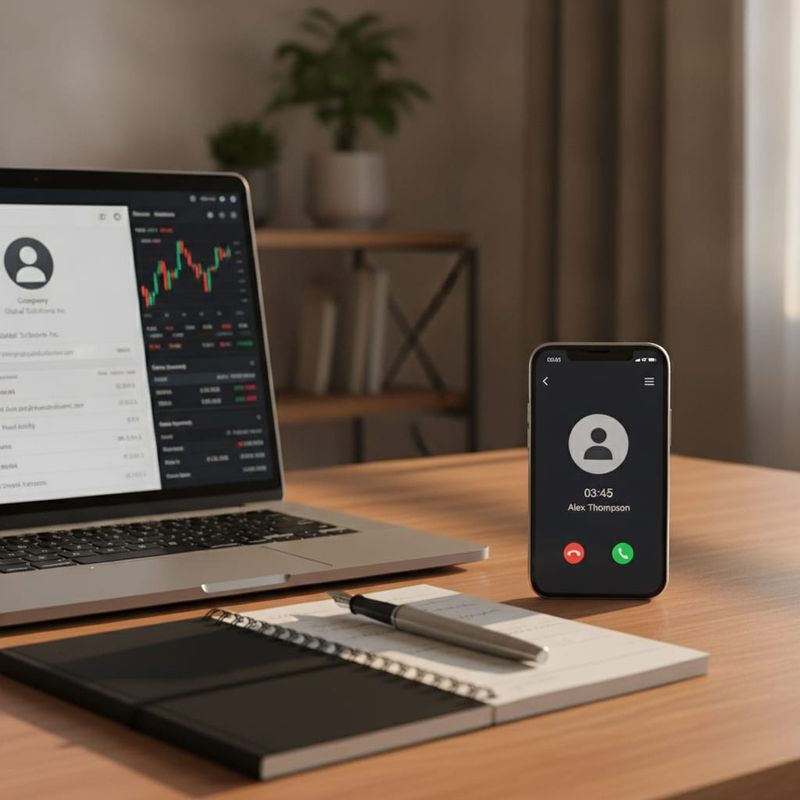
That two-way loop turns a campaign into a measurement. Intent is what the trader said on the call. Reactivation is what the platform recorded afterward, and only the second counts. With the call date on the CRM record and the platform event on the same client, attribution is a join, not a guess.
Use a fixed outcome picklist, not free text. Something like INTENT, BOOKED, HANDOFF, BLOCKER_NAMED, NOT_NOW, NO_ANSWER, DO_NOT_CALL. The retention desk gets a view filtered to HANDOFF and BLOCKER_NAMED, sorted by balance, and the compliance desk gets DO_NOT_CALL flowing straight into the suppression list for the next wave. The CRM call outcome automation guide covers the field mapping in detail.
Watch the campaign while it runs, not after. The real-time analytics view shows connects, handoffs and callbacks per segment, and retries run on a schedule you set per segment. Hold back a control group of the same size and shape, and subtract its login and deposit rate from the called group before you call the difference a lift.
6. What does an MT4 dormant client reactivation campaign cost?
The voice cost is $0.35 per minute, billed by the second, and that rate includes the voice model, telephony, recording, transcription and analytics with no per-seat, setup or bundle fees. So the campaign's cost is connected minutes times $0.35, plus whatever the broker spends on the export and the CRM join, usually a few days of an engineer's time the first month and nothing after.
Put numbers on your own book before anyone else does. A 12,000-login dormant export that matches 9,000 CRM records and clears suppression at 7,500 eligible, with a 40% connect rate and two-minute average conversations, comes to 6,000 connected minutes, or $2,100 in voice cost for the first wave. Whether that pays back depends on how many of those 3,000 conversations deposit, and on your average redeposit.
The dormant trader revenue calculator takes your dormant count, average balance and an assumed reactivation rate and returns recovered revenue against call cost, so the head of retention and the CFO argue about assumptions rather than arithmetic.
Brokers that keep a human retention team see 3-10x more call volume from the same headcount, because the AI takes the first pass and the retries while dealers take warm handoffs. First setup takes about 15 minutes, campaigns are usually live within about two weeks, and a proposal follows a strategy call within 48 hours. If you'd rather talk it through, book a 30-minute call and bring last month's dormant export row count.
7. When doesn't this workflow fit?
An MT4 dormant client reactivation campaign doesn't fit when the CRM can't produce a verified phone number for most logins, when the broker has no documented consent basis for marketing calls to existing clients, or when the dormant book is under a few hundred accounts. In each case fix the data, the consent record or the list size first; the workflow only multiplies what's already true about the data.
- No CRM join: if MT4 is the only system of record and numbers were never verified at KYC, the campaign dials stale numbers and the compliance risk isn't worth the connect rate. Run a data-hygiene pass first; the reactivation data hygiene guide covers what to fix.
- Tiny books: a boutique broker with 300 dormant accounts and two account managers should just call them. The workflow pays off when there are more accounts than the desk can reach in a month.
- Mid-migration: a broker moving from MT4 to MT5 in the next quarter should build the workflow against the MT5 export and run MT4 as a one-off, not the other way around.
- Professional-only or institutional books: high-balance clients with a named account manager expect that manager, not an agent. Use the AI for the long tail and keep the top tier personal.
The clearest case is a mid-sized broker with thousands of quiet MT4 logins, a CRM holding verified numbers and consent, a compliance desk that can sign a suppression rule, and a retention team tired of rebuilding the list every month. The dormant trading account reactivation case shows what the loop looks like once it's live.
Start with the map. Fill in the dormancy thresholds with your platform admin, the join rules with whoever owns the CRM, the suppression rules with compliance, and send a five-call test batch through the full loop before the first segment goes live.
Frequently Asked Questions
Get AI calling tips in your inbox
No spam. One email per week with actionable sales automation tips.